Integrating Jungler with Clay
Learn how to integrate Jungler with Clay in just a few steps.

Hendrik Ojamaa
Integrating Clay with Jungler enables you to push filtered contacts that match your ICP criteria to a Clay table automatically.
Adding webhook as a source in your Clay table
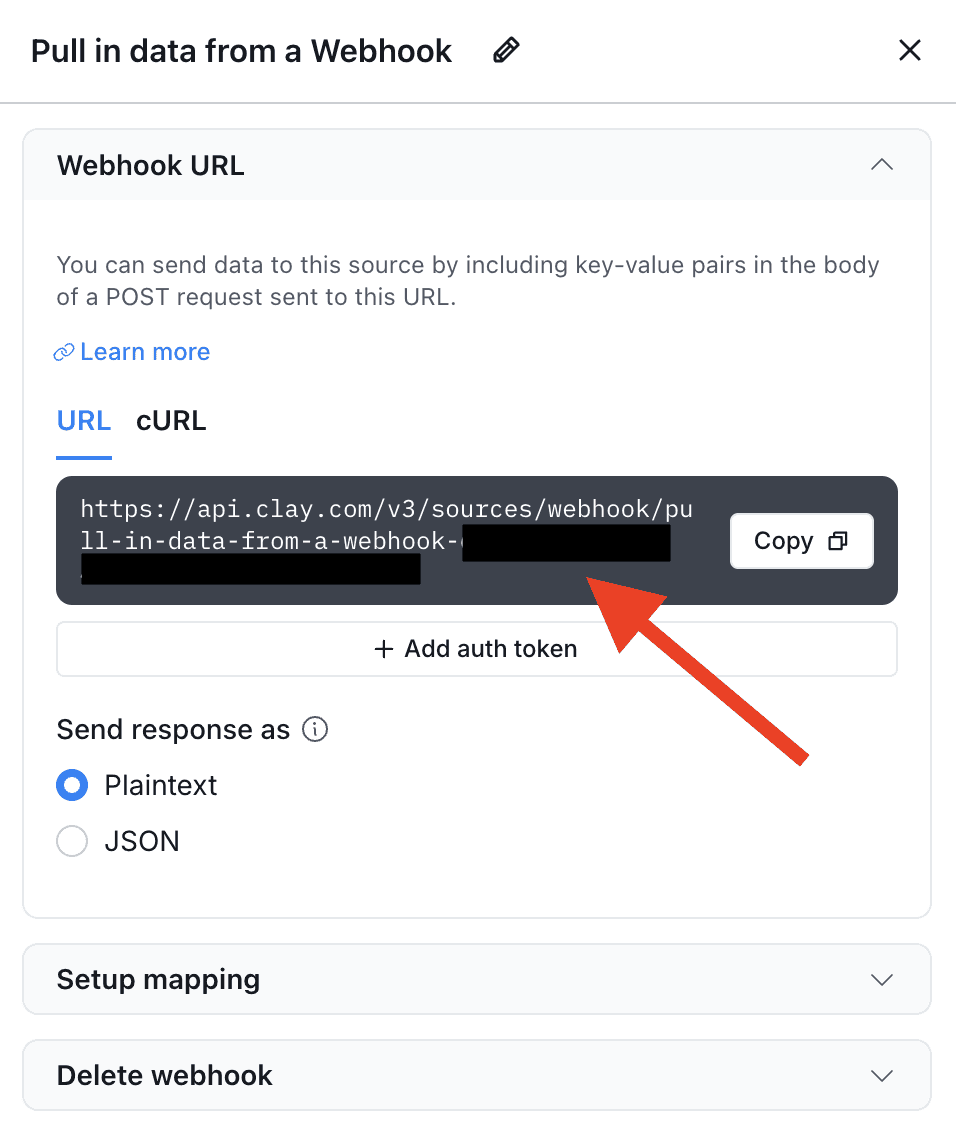
If your Clay table does not already monitor a Webhook for incoming data, you'll need to add Webhook as a source of data for your table. Follow these steps:
Click Actions, then Sources, then Webhook.
Select Monitor Webhook in the list of available options.
Click Copy to copy the Webhook URL to your clipboard to paste in the Jungler dashboard.
Testing
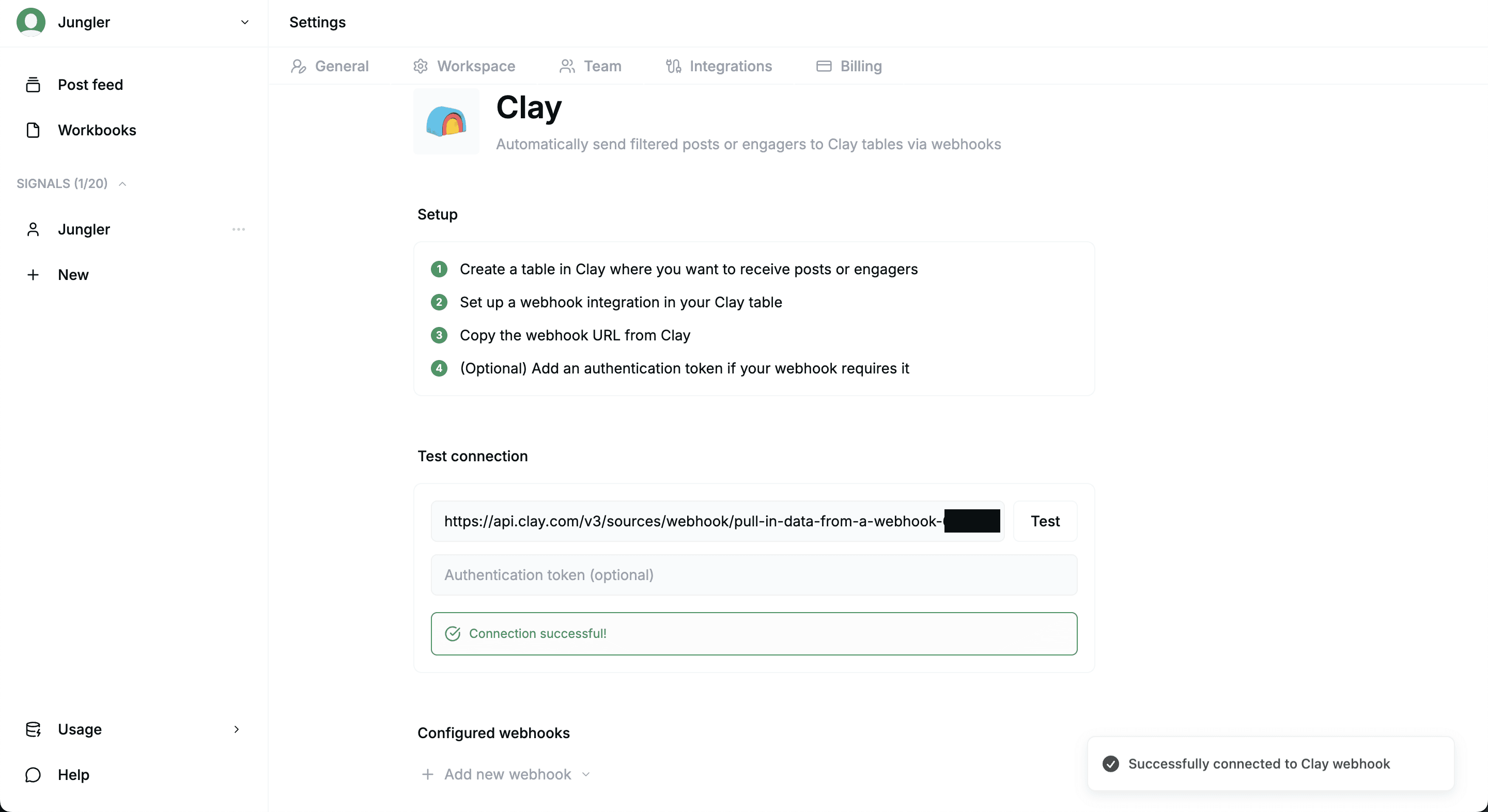
Go to Jungler and click on your profile icon on the top right corner, and then navigate from Settings to Integrations (https://app.jungler.ai/settings/integrations/clay).
To test your integration, follow these steps:
Enter the URL of your Clay Webhook and click the "Test" button to run it.
After testing the URL, you will send a test payload to the provided URL, simulating the data that would be sent during actual use.
Observe the bottom of the “Test connection” box for feedback. These notifications will inform you whether the test event was successful.
Add new webhook
Here’s how you can start pushing data to a Clay table:
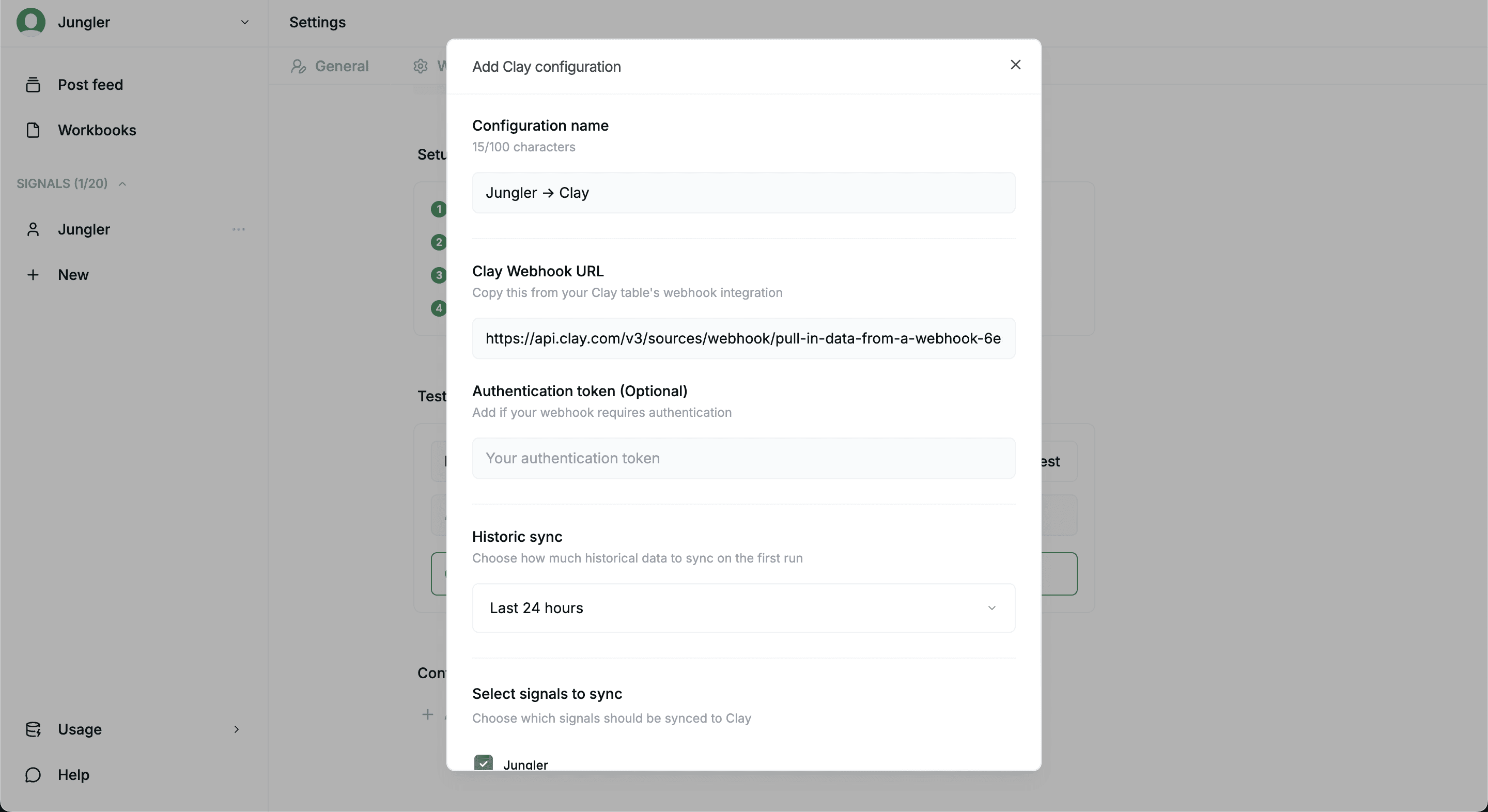
Below Configured webhooks at the bottom of the screen, click + Add new webhook and choose whether you want to send posts or to send engagers (commenters and reactors). The Clay configuration pop-up box now opens up.
Insert the URL of your Clay webhook to Clay Webhook URL.
Choose how much historical data to sync on the first run with the Historic sync option.
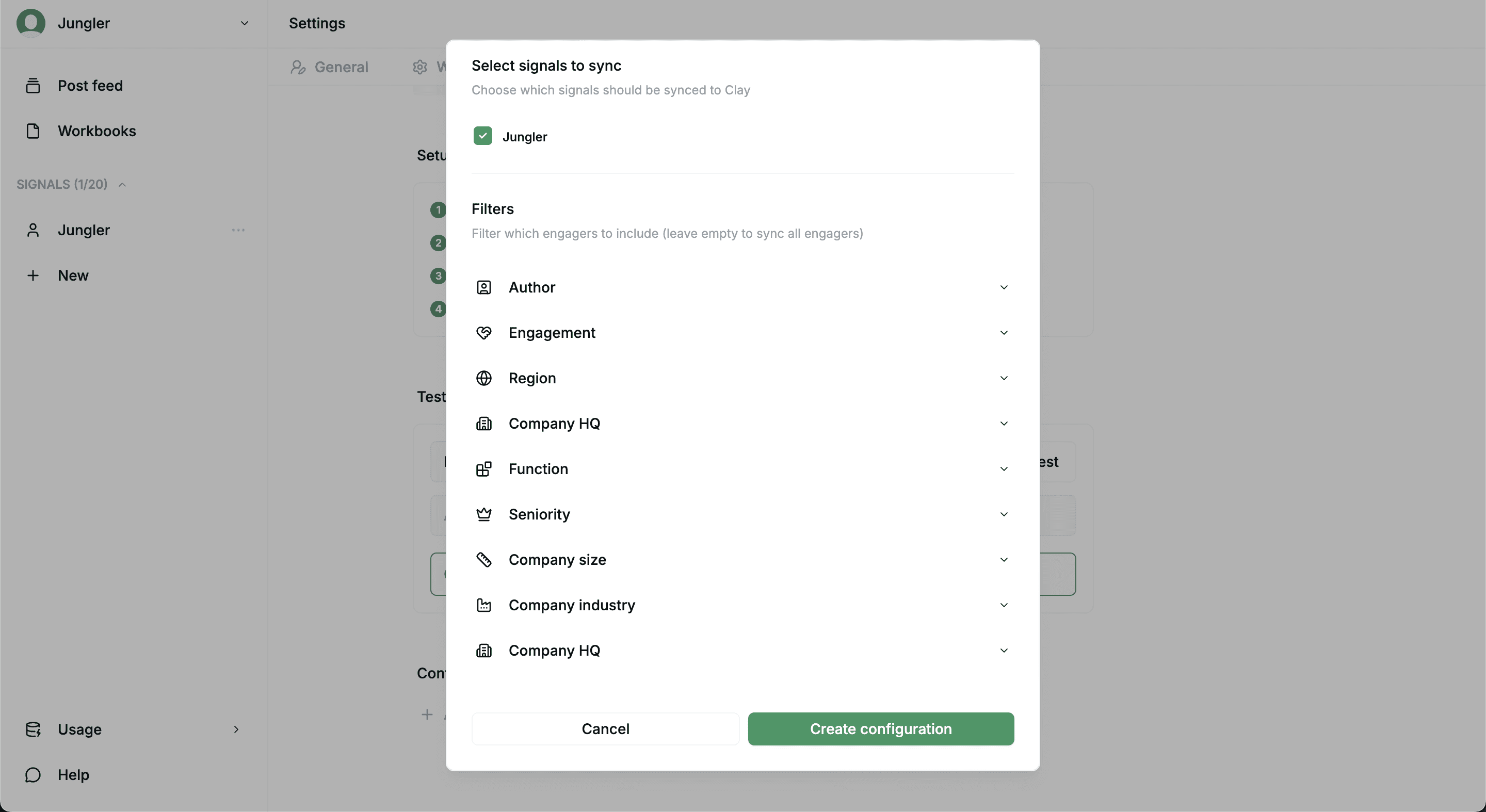
Select signals to sync to choose the signal from which you’d want to send data to Clay.
Apply any Filters to only send contacts that match your criteria. Leave empty to send all engagers.
Click the Create configuration button for activation.
Congratulations – you’ve now set up your your Jungler → Clay integration.